Author: rocketsno3

Module 4 Learning Activity: Reuse, Revise

As a student majoring in Computer Science, what left a lasting impression on me wasn’t a CSC course but rather the Astronomy 101 class I took in my second year. Astronomy 101 primarily focuses on our solar system and fundamental knowledge about the universe. Due to my personal interest in astronomy, I chose this course as an elective. The teaching approach intrigued me as well: it involved various fascinating experiments to explain the basics of the solar system, such as using spectroscopy to illustrate the principles of redshift and blueshift. Additionally, there were engaging telescope observations of the moon and Saturn’s activities.

However, the textbook for Astronomy 101 was quite expensive (although I chose not to purchase it). If I were the instructor for Astronomy 101, I would categorize the textbook into three types:

  • Print and Premium Options
  • Supplementary Resources
  • Primary Open Educational Resource
  1. Print and Premium Options: Knowing that some students like regular books or special features, I’d offer a choice. They can decide if they want a basic book or a fancier one with extra things like interactive stuff and videos. This way, everyone can pick what they like best for learning in the Astronomy 101 class.
  2. Supplementary Resources: Besides the main free book, there are extra things like articles, research papers, or cool videos. These can help you understand more, see different points of view, or learn about the newest stuff in astronomy. You don’t have to use them, but if you want to know more, you can check out these extra things.
  3. Primary Open Educational Resource: The main book for the class is free and online. It covers all the important stuff we need to learn. This main book is the main thing everyone uses, and you don’t have to pay anything extra to get it. It’s there so everyone has the same chance to learn without spending extra money.

There should be some considerations when adopting a new text. I need to make sure the book talks about what we’re learning in class and check if the book is interesting and easy to understand. In addition, I need to look for clear explanations and fun activities that help us learn better. Make sure everyone can read the book easily. I also need to check if the words are not too hard, and if it works well with tools that help some students.

I also need to consider how ensuring text meets class needs. As an instructor, I need to ask students what they think about the book—what they like and how it’s going for them. Check if the book helps us learn what we’re supposed to. See if it helps us reach the goals we’re supposed to reach in the class. More importantly, I need to see if we need more stuff to learn in different ways. Check if we can add more things to help everyone learn better, especially if people like to learn in different ways.

There should be some concerns with Open Textbooks:

  1. Think about possible problems with how the book works online, like if it works on different devices or if some people can’t access it.
  2. Consider if there might be difficulties in keeping the online book up to date or fixing problems, compared to books you buy in a store.
  3. Check if the online book is trustworthy and if the people who wrote it know a lot about the subject, just like books you find in a bookstore.

I chose this activity because I want to learn about choosing textbooks for different classes, especially the shift to open educational resources. I’m trying to understand how these choices affect learning. This task matched my goals by giving me a hands-on look at what to think about when picking a new book. It helped me see how to make sure a book works well for different students and is easy to use. After looking closely, I learned a lot about how complicated it can be to choose the right book. It’s not just about the cost; it’s also about making sure everyone can use it and that it helps us learn better. This activity showed me that finding the right balance between cost, accessibility, and quality is crucial for making learning better for everyone.

Module 5: Digital Futures for Education

In this learning portfolio activity, I have the opportunity to learn from my peers. Since I`ve already left comments under their post, I just moved it to my post to make it more clear.


I chose group 6`s work: Intelligent Technology in Education.

Here`s the link to their work:  Group 6`s work: Intelligent Technology in Education

  • What was the biggest strength of this micromodule?

I think Intelligent technology in education is a game-changer, transforming the way we teach and learn. The biggest strength of your micromodule is you guys have ability to distill complex information on “Intelligent Technology in Education” into easily understandable and relatable language.

  • What is one way in which the author(s) could improve the micromodule?

one way that could improve the micromodule is to provide specific examples or anecdotes to illustrate the points made. For example, the topic”AI-enabled teacher to teach” would have an example like AlphaGo teaches humans how to play Go “weiqi”…

  • What is your biggest takeaway or piece of learning after completing the module?

My biggest take-away or piece of learning after completing the module is your module talks about how smart technology can really change how we learn in school. It says that technology can make learning more about each student, help people from all over the world learn, and let students work together better. It also mentions that using technology in education can help teachers understand how students are doing and teach important skills for the future.

Their strength lies in simplifying complex information about intelligent technology in education, making it easy to understand. Group 6 is really good at making difficult stuff easy to understand. They’re great at turning complex ideas into simple ones, so even if you don’t know much about the topic, you can still get it. This skill makes their module work well for everyone.


Module 3 Learning Activity: Resisting Ed Tech

Using technology in education can bring about great changes, but it also has its downsides. It can be good, but it can also cause problems. Unfortunately, schools and colleges often start using new technologies without really thinking about what could go wrong and who might be hurt by them. That’s why it’s really important to be careful and think hard when we design learning activities or decide to use new educational tools. We need to look closely at how these tools might cause problems and be ready to fix those issues.


Chegg is an American education technology company founded in 2005 and headquartered in Santa Clara, California. The primary goal of Chegg is to provide online academic support and resources to help students succeed in their studies. Chegg aims to assist students in achieving academic success by offering comprehensive education support services. However, when utilizing such online academic support services, students and educational institutions should exercise caution to ensure adherence to academic integrity and institutional regulations.


Next, I will focus on answering some questions based on privacy presented by Stommel and Morris.

1. Who owns the tool? What is the name of the company, the CEO?

A: Owner: Chegg Inc.
CEO: Dan Rosensweig

2. What are their politics?

A: Chegg provides a variety of services and tools, aimed at supporting students in achieving success throughout their academic careers

3. What does it actually do?

A: They do lots of things related to education, like e-textbook rentals, online academic tutoring, homework help, and exam preparation, and provide resources related to professional development and career planning, including internship information and career advice.

4. What data are we required to provide in order to use the tool (login, e-mail, birthdate, etc.)?

A: You need to sign up with your account (google, Microsoft, or your own e-mail ) and login with it. It doesn`t need to have your birthdate or other privacy info.

5. What flexibility do we have to be anonymous, or to protect our data? Where is data housed; who owns the data?

A: When using any feature of Chegg, you have the option to conceal your username.

6. What are the implications for in-class use?

A: Some assignments given in class can be found on Chegg, including answers, but are intended only for reference.

7. Will others be able to use/copy/own our work there?

A: Some students have received warnings or disciplinary actions due to similarities between their answers and those found on Chegg, especially in subjects like mathematics and physics

8. Does the tool attempt to dictate our pedagogies?

A: In the context of Chegg or any educational tool, it’s important to consider how the tool shapes or directs the teaching and learning processes. Whether the tool dictates pedagogies can depend on how instructors and students choose to use it.

9. How is its design pedagogical? Or exactly not pedagogical?

A: Chegg can be helpful for learning, but it depends on how people use it. If students and teachers use it the right way, it can support education. But if it’s used in a way that doesn’t help with learning, then it might not be as effective. It’s all about how people decide to use the tools on Chegg.

10. Does the tool offer a way that “learning can most deeply and intimately begin”?

A: Chegg might help learners learn deeply, but it really depends on how you use it. If you use it well, it could be a great tool for learning. But if learners just look for quick answers without really trying to understand,                          it might not help learners learn deeply. It’s all about how learners use Chegg as part of their overall way of learning.


I chose the activity about questioning educational technology because I think it’s really important to think carefully about the tools we use for learning. My goal was to understand how technology, like Chegg, might affect our privacy and the way we learn. By looking into things like who owns the data, how it’s used, and how it influences teaching methods, I saw that technology in education is not just good or bad—it’s a bit of both.

Chegg can be helpful for learning, but it also brings up issues like keeping things fair and honest in our studies. This activity taught me that using technology for learning is a bit like a double-edged sword—it can be really useful, but we need to be careful to use it in the right way. Overall, I realized that when it comes to educational tech tools, we should be smart and think about them carefully before using them in our learning.

Module 1 Learning Activity: Metaphorically Speaking

Module 1 Learning Activity: Metaphorically Speaking

Metaphor is a cognitive phenomenon or a way of thinking in education. The core of educational metaphor is actually the development and cultivation of students’ thinking skills. It requires, during the implementation of the educational process, inspiring students’ thinking in a more vivid, intuitive, and imaginative way through means like similarity, adjacency, substitution, implication, or borrowing, so that students’ thinking is subtly influenced and gradually nurtured into a scientific way of thinking.

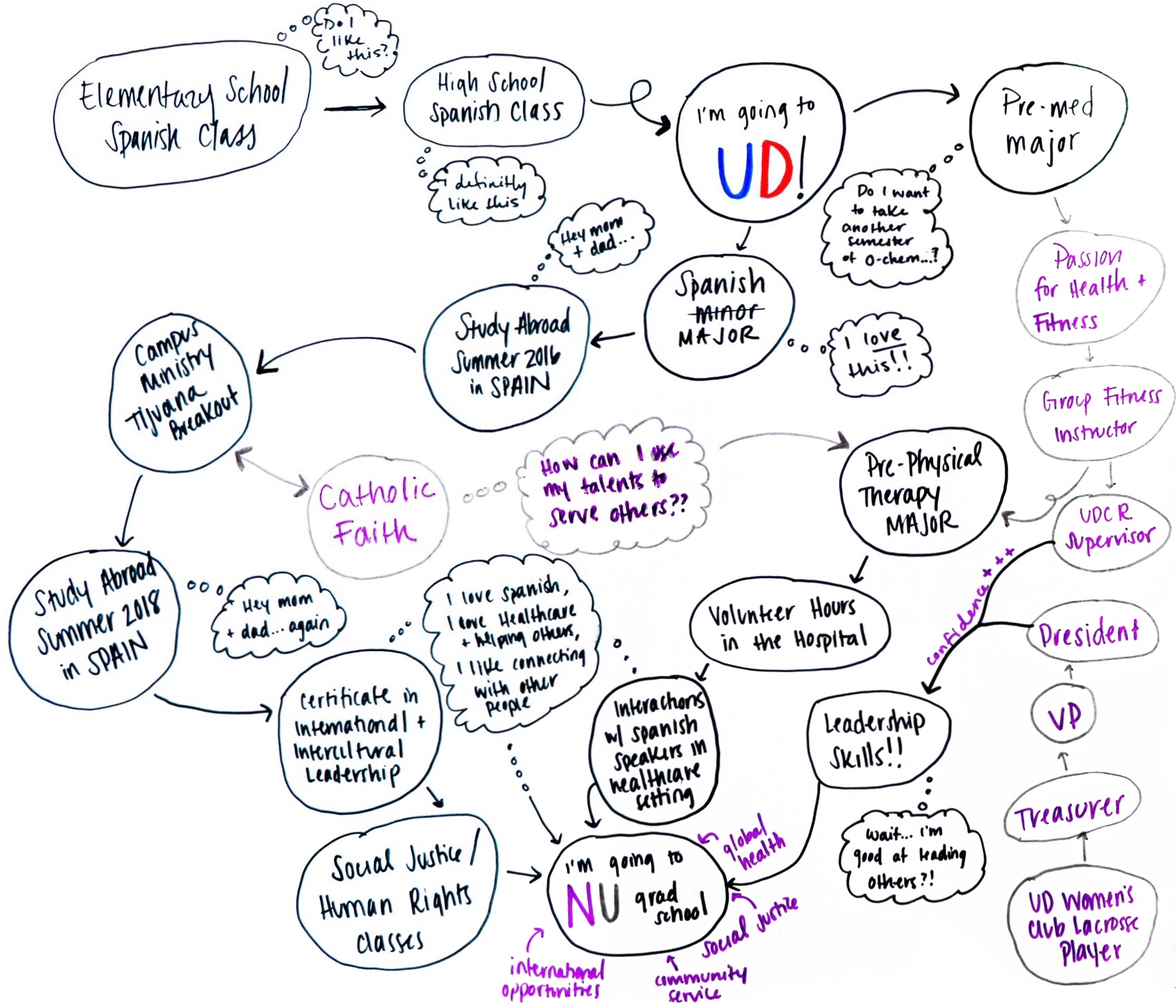
For example, During some synchronous lessons, the teacher might ask the students to create a metaphorical map of their educational journey. In this activity, the path represents their academic progress, obstacles symbolize challenges they face, and landmarks represent significant achievements or knowledge gained.

The metaphor is engaging and relatable for students. It provides a clear and visual way to understand the educational process, making it easier to grasp, especially for younger students. It also can be motivational, as the idea of a journey implies progress and the potential for exciting discoveries along the way, which can encourage students to stay on the path of learning. By using this metaphor, students can better understand the ups and downs of learning, the importance of perseverance when faced with obstacles, and the sense of accomplishment upon reaching milestones. This metaphorical approach can make the learning experience more relatable and engaging for students, helping them grasp the abstract concept of education through a concrete and imaginative comparison.

I chose “Metaphorically Speaking” because it seemed like a creative and engaging way to explore the course material, which focuses on the power of metaphors in communication. Being a visual learner, the prospect of using metaphors to convey complex concepts resonated with me, and I believed it would enhance my understanding of the subject. This activity aligned with my personal learning goals for the course, which included improving my communication skills and gaining a deeper appreciation for the nuances of language. While participating in “Metaphorically Speaking,” I not only learned how to craft and employ metaphors effectively but also gained a deeper insight into how metaphors shape our perception of the world. It was a valuable learning experience that reinforced the course material and encouraged me to think more critically about the language we use in everyday communication.

Module 2 Learning Activity: Places of Learning

Online learning is placeless and highlight the significance of the physical environment in which students engage in their studies. It encourages students to select a location that is personally meaningful to them and complete a course-related task from that place. By choosing a meaningful place for learning, students can being in a familiar and comfortable environment can enhance focus and reduce distractions, which can lead to more effective learning.

My most comfortable learning spot at home is the “security room” downstairs. My roommates and I affectionately call it the security room because it’s the room to the right just as you enter the front door. It’s incredibly quiet, close to the heating, and most importantly, far away from my bedroom. Since my typical leisure activities mostly involve online gaming with friends in my room, I sometimes struggle to resist the temptation of gaming when using my own computer for studying. Being in the “security room” allows me to concentrate fully on my studies, significantly boosting my learning efficiency.

One of the most significant advantages of this approach is the personalization it offers. In my “security room,” I can create a learning environment that suits my specific needs and preferences. This personal touch significantly enhances my concentration and overall learning experience.

Furthermore, this approach has had a profound impact on my work-life balance. By breaking down the barriers between formal learning and my personal space, I find it easier to transition between academic tasks and leisure activities. It fosters a more natural and sustainable learning routine.

Ultimately, this activity has shown me that online learning is not placeless; it’s placeful. It has empowered me to break down the barriers between formal learning spaces and personal ones, making the learning journey more integrated and meaningful. It’s a reminder that effective learning can happen anywhere, as long as we’re deliberate and mindful about our chosen places and how they connect to our educational goals.

© 2026 edci339bc

Theme by Anders NorenUp ↑